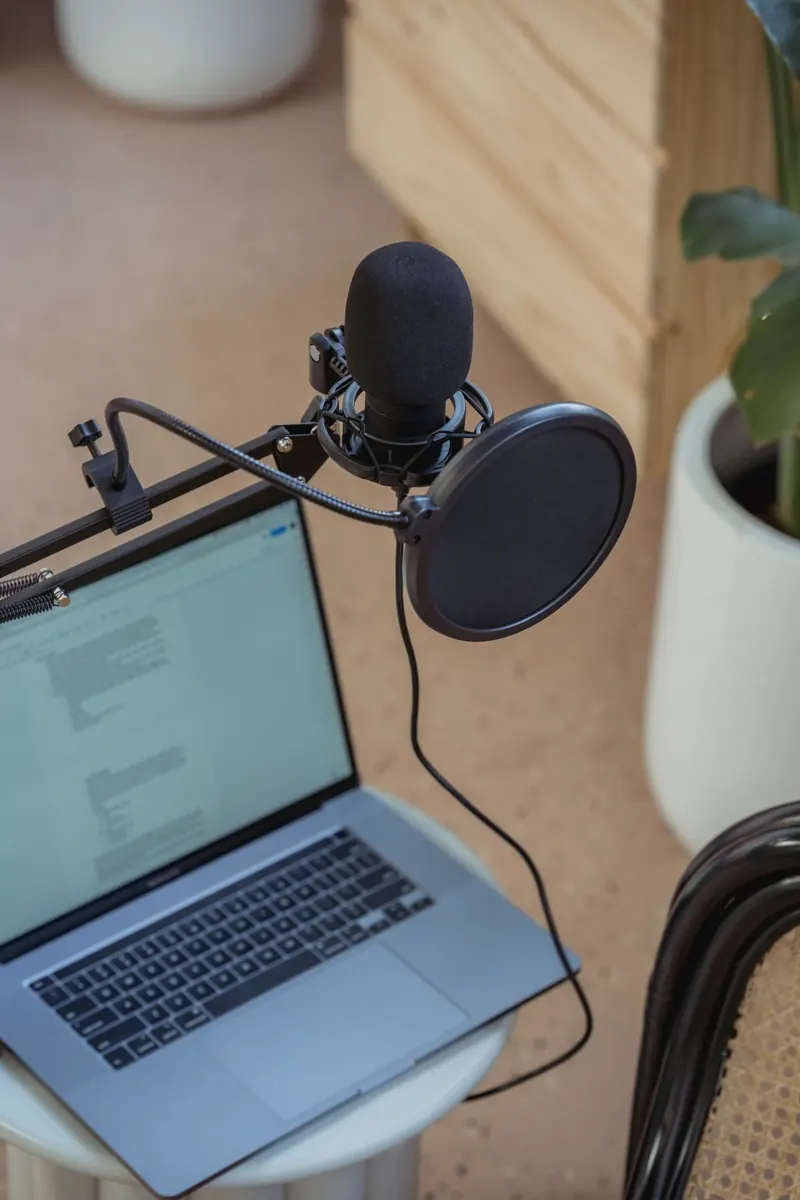
A podcast guest checklist works best when you treat the interview as a short technical production with a human conversation inside it. A familiar problem is that you have prepared your talking points, but the call starts with an echoing microphone, a laptop fan drowning out your first sentence, or a notification chime that interrupts the host. The fix is not an expensive kit. It is a predictable sequence of checks, a sensible audio path, and a backup plan that protects the recording if something fails.
This guide focuses on the decisions that matter most for a remote guest: what to confirm with the host, how to choose between audio setups, how to prepare for camera and notes, and how to recover if the connection drops. It is editorial guidance based on published checklists and practical comparison criteria, not a hands-on product test.
Start with four questions to the host
Most preparation problems come from unclear expectations. Before you think about equipment, ask the host:
- Which recording platform will be used, and does it record locally or in the cloud?
- Is video required, optional, or audio-only?
- Are headphones expected, and is there a preferred microphone type?
- How should you reconnect if the call drops, and who should you contact?
Also confirm the time zone and the realistic length. Leave a few minutes free before and after the scheduled slot. A video interview often needs more visual consistency and stable framing than the final episode will show, so the room you choose matters for the whole session, not just the first minute.
Decision guide: choosing your audio path
Audio quality is usually the first thing listeners notice, and the choice is less about buying a better device than about avoiding common failure modes. The table below compares the realistic options.
| Setup | Main advantage | Main trade-off | Best when |
|---|---|---|---|
| Built-in laptop microphone | Nothing extra to set up | Picks up room noise, keyboard sounds and fan noise easily | You are in a very quiet room and have no other option |
| Wired headphones with the laptop mic | Stops the host's voice echoing back into your mic | Mic distance still affects clarity | You need a simple fix for echo at low cost of effort |
| Separate microphone plus headphones | Usually the clearest voice when positioned well | More cables, more input settings to verify | The show depends heavily on spoken quality |
| Phone as backup recorder | Independent local capture if the call fails | Needs careful placement and consent to record | The host agrees a local backup is useful |
The sensible default for most guests is a separate microphone or a clearly chosen input on the computer, combined with wired headphones. The risk is assuming the right device is active. Always check the input selection inside the platform itself.
The day before: run a real sound test
Use the same room, computer, microphone and headphones you plan to use for the interview. Record about a minute of speech at your normal volume, including a pause and a question-style sentence. Listen back with headphones and look for four things:
- Clipping or distortion when you raise your voice
- Background hum from electronics or air handling
- Echo from hard walls or windows
- Notification sounds that the call software may capture
Move the microphone closer if speech is faint, but keep it out of breath range and away from clothing that rubs. Do not install unfamiliar audio software on the day of the call unless the host specifically requires it.
Preparing your camera frame
If the session includes video, treat the frame as part of the conversation. Check the actual preview rather than assuming your camera will look like the one in a showroom or a friend's demo. Sit where the light comes from the front or side, not directly behind a window. Keep the lens roughly at eye level so you are not looking down into the camera for the whole session.
Fine, tightly repeated patterns can shimmer on some cameras, so test a shirt or jacket before the call. Avoid jewelry that taps a clip-on microphone. Sit, turn your head and gesture as you normally would while speaking. An outfit that feels fine when you are sitting still often becomes distracting during the first real exchange.
Notes that support conversation
A useful set of notes has three layers: a one- or two-line introduction, three points you want to make, and one concrete example under each point. Verify any names, dates or figures before you mention them. Keep the notes beside the camera but not covering the screen, so your eyes do not drift off to read continuously.
A common mistake is writing a full script. A script encourages reading and leaves no room for the host's follow-up questions, which are often the most interesting parts of an episode. If a question falls outside what you know, say so and offer to send an accurate reference afterward. Improvising an uncertain claim creates more work during editing than a short correction later.
Illustrative example: a 45-minute session
Hypothetical example: A guest has a laptop, a USB microphone and wired headphones. Ten minutes before the call, they close all applications except the platform, silence phone notifications, and place a glass of water within reach. The platform's input menu shows the laptop microphone as selected, so they switch to the USB device, speak a test sentence and watch the level meter. They confirm that the host can hear them clearly and that video framing matches the preview. Because the call is scheduled for 45 minutes, they leave a short gap afterward for the host to close the session cleanly.
The example is not about the price of the equipment. It is about checking the one setting that would have quietly ruined the recording.
Fifteen minutes before joining
- Connect power so the laptop does not drop during the call.
- Close unused applications and silence notifications on all nearby devices.
- Clear private items and visible clutter from the camera frame.
- Tell anyone sharing the space when quiet is needed, and place a sign on the door if necessary.
- Verify camera and microphone permissions inside the actual platform.
- Keep the host's contact details available outside the meeting so you can reach them if the application freezes.
When the connection fails
Pause instead of talking over a frozen feed. Follow the reconnect process the host agreed to in advance, and make a brief note of roughly where the conversation stopped so you can pick up the thread. Do not start a separate recording of another person without the appropriate agreement. If the production plan includes a local file, let the upload finish before closing the application or tab.
Common mistakes during recovery include rejoining with a different device without telling the host, repeating a long answer that was already captured, and posting an unfinished recording yourself. Afterward, send any references you promised and ask the host which materials are approved for sharing.
Common mistakes to avoid
- Testing only the microphone and not the full call setup.
- Leaving notifications on, including messaging apps and system alerts.
- Choosing a visually busy outfit without checking it on camera.
- Scheduling another meeting at the exact end time of the interview.
- Relying on memory for the host's reconnect instructions.
Limitations of this checklist
This guidance cannot predict your room acoustics, your internet connection, or the specific settings of the host's platform. Workstation and travel guidance from public agencies is useful for general ergonomics and packing decisions, but it does not replace testing your own setup. Where a platform or producer gives specific instructions, follow those instructions over general advice.
Continue reading
- A Desk Setup for Writing, Video Calls and Editing in One Small Space
- How Public Speakers Build a Minimal Stage Wardrobe
- Best Camera-Friendly Knitwear for Calls, Travel, and Casual Events
Cover: Pexels photograph, used as an editorial illustration. Stock models and products shown do not imply endorsement or independent product testing. Image license.